Content approval workflow: where it breaks, and what to use at each stage
Almost every guide to this describes the same four stages and stops. The four stages are not where teams get stuck. This page covers the six places an approval process actually breaks, how to run one with no software at all, and which tools earn their price, with every price read off the vendor's own page on 8 September 2026.

6
places an approval process actually breaks
Counted below. One of the six is a software problem
14
tools priced from the vendor's own page
Read on 8 September 2026, each URL printed beside it
$15
per user a month, the cheapest paid proofing here
ReviewStudio, reviewstudio.com/pricing, 8 September 2026
$199
a month, the floor of the reference tools
Filestage and Ziflow, checked 8 September 2026
Every price on this page was read off the vendor's own pricing page on one day, and the page it came from is printed beside it.
What is a content approval workflow?
It is the agreed route a piece of content takes from brief to publication: who makes it, who reviews it, who is allowed to say yes, and what happens when nobody answers. It is a decision about people and deadlines first and a piece of software second, which is why buying a tool for an unowned decision buys a nicer place for that decision to not get made.
- Stages that are real
- Brief, make, review, decide
- The usual failure
- Nobody is the approver
- Cheapest fix
- One name, one date, in the brief
- What software adds
- One of the six breakages
Do I need content approval software?
Usually not at first. It earns its place in three situations: reviewers outside your company on a regular basis, feedback that has to sit on the asset itself such as a frame of video or a coordinate on a layout, and volume past roughly twenty pieces a month across several brands. If none of those describe you, a shared folder, a named approver and a deadline do the job.
- Cheapest paid proofing
- $15 per user a month
- Reference tools start at
- $199 a month
- Free tiers worth having
- ReviewStudio, Ziflow, Frame.io
- Volume rule of thumb
- Around 20 pieces a month
If the process is fine and the queue is empty
Paste the company URL and get the piece back written and designed in that company's real colours, fonts and voice, ready for whoever has to say yes to it.
Free for 14 days on the full Starter plan, card required, no charge today, then $59 a month, cancel anytime.
The four stages that are real, and the loop underneath them
Every guide lists the four. The distinction most of them blur is between review and decide: review produces changes, and only the decide stage produces a yes. The edge running backwards is the one nothing else draws.
Brief
Somebody says what the piece is for, who it is aimed at, and what it has to contain. A brief that does not name the approver is not finished, and that omission is where most of the delay downstream is created.
Make
The piece gets written and designed. Nothing about approval happens here, and pulling reviewers in early to look at a half draft is how a single round becomes four.
Review
People who are not the approver read it and comment. Review produces changes. It does not produce a decision, and treating a positive comment as a yes is the most common way an unapproved piece gets published.
Decide
One named person says yes or asks for a specific change. This is the stage everyone thinks they have and most teams do not, because nobody was appointed to it. Publication is what happens after, not a stage of its own.
And the stages that get added on top
Four of these turn up in most process templates. One of them is real some of the time. A stage with no output and no deadline is not a stage, and every extra box is another place a piece can sit.
An ideation gate
Usually the brief with a meeting attached. If ideas are being rejected after the piece is made, the brief is the thing to fix.
A legal review step
Real, and non negotiable, in regulated work: finance, health, pharma, anything with a claim in it. Ceremony everywhere else, and a stage that exists for one piece in fifty will be skipped for the other forty nine.
Stakeholder alignment
A meeting, not a stage. It has no output you can point at, no deadline, and no way to fail, so it cannot be part of a workflow.
Post publication review
A good habit and a reporting job. It is not approval, because nothing is waiting on it, and putting it in the same process makes the process look longer than it is.
The six places it actually breaks
Each of these has a symptom you will recognise and a fix that costs nothing. Only one of the six is genuinely a software problem, which is worth knowing before you open a pricing page.
1. Nobody is the approver
Symptom. Three people comment, all of them helpfully, and not one of them says go. The piece sits for a week and the writer chases.
Why it happens. This is the single most common failure and it is not a software problem. Adding a tool to an unowned decision buys a nicer place for the decision to not get made.
Fix. One name per piece, written in the brief. Not a team, not a channel, not a role. If two people genuinely have to agree, they are a first and a second, in that order, and the second is the approver.
2. The review has no deadline, so it has no end
Symptom. Asked where a piece is, the answer is that it is with the client, and has been since a date nobody wants to say out loud.
Why it happens. An open ended review is a queue with no service rate. It is also the breakage that quietly costs the most, because the thing being lost is cadence rather than any single post.
Fix. A date and a default outcome, both in the brief. Silence has to mean something: either it goes as drafted, or it moves to the next slot. Pick one and write it down.
3. The file lives in an email
Symptom. Two people are editing two versions and neither knows it. Someone publishes v3 while the approved one was v4.
Why it happens. Email attachments fork. Every forward makes a copy with no relationship to the original, and there is no way to ask which one is current.
Fix. One home and one naming convention, agreed once. A shared folder is enough. The version belongs in the filename, and the link, never the file, is what gets sent.
4. The feedback is not attached to the thing it describes
Symptom. The blue is wrong. There are three blues. Nobody knows which slide, and the reply asking which slide takes another day.
Why it happens. Comments in a chat thread lose their referent the moment they are sent. The reviewer knew what they meant; the message does not carry it.
Fix. Comment on the asset, or quote the exact words. This is the one breakage a proofing tool genuinely solves better than a convention, because pinning a note to a coordinate or a timestamp is not something a folder can do.
5. The reviewer refuses to create an account
Symptom. Approvals arrive as a phone photo of a laptop screen in a message thread, with the word yeah under it.
Why it happens. A client who reviews four things a year will not carry a password for it, and pushing them to will simply move the conversation to whatever they already use. This is a real constraint, not laziness, and a workflow that ignores it does not run.
Fix. Either pick a tool where reviewers do not need a seat, which most proofing tools support, or accept the photo and do the recording yourself. Both work. Pretending they will sign up does not.
6. A closed decision gets reopened
Symptom. It publishes, and someone senior asks who approved this. Nobody can answer with a date, so the answer becomes an argument.
Why it happens. Without a record, an approval is a memory, and memories lose to seniority every time. The cost is not the one post, it is that the next approver starts hedging.
Fix. Write the yes down where the work lives, with a name and a date. After that, a change is a new round with a new deadline, not a continuation of the old one.
A seventh, which hides inside the other six
A task tracker is not an approval record. A card moved to Done says a task finished. It does not say who read the file, which version they read, or that they agreed to publish it. Plenty of teams have a tidy board and no idea who cleared last Tuesday.
Internal approval and client approval are two different problems
Most guides treat these as one process with a different name on the approver. They fail differently, so they need different answers.
A problem of permissions and order
The failure is ambiguity rather than access, and it is solved by naming an approver and limiting who can touch what, not by adding a review surface. If a draft can wait for a person before it goes out, and seats carry real permissions, internal approval is solved by the tool you already publish in.
A problem of access and record
When the relationship goes wrong the question is not what was agreed but what can be shown, so the requirements are a way in with nothing to sign up for and a durable record of who said yes and when. A general publishing tool usually has neither.
How to run one with no software at all
This section is first for a reason. If you are one or two people and everything you publish is a social post, this is the whole answer, and the tools below are a cost you do not need yet. Six steps, and the only things required are a shared folder and a document that accepts comments, which a free account already gives you.
- 1
Name one approver per piece
A person, by name, in the brief. If you cannot name them, the piece is not ready to be made. Where two people must agree, order them and make the second one the approver.
- 2
Put a deadline and a default in the brief
No answer by Thursday at noon means it publishes as drafted, or it moves to the next slot. Silence has to resolve to something, or the queue never clears.
- 3
Give every piece one home and one filename
A shared folder per month, and a filename that carries the date, the piece and the version. Send the link, never the file. This alone removes the version breakage.
- 4
Collect feedback in one place, on the thing itself
A document with comment mode, or a numbered list against the piece. Comments in three channels are not feedback, they are three conversations that have to be reconciled by hand.
- 5
Record the yes, with a name and a date
One line in the folder or the calendar entry: approved by, on. A message reaction is not a record, because it cannot be read back six weeks later by somebody who was not there.
- 6
Close the round
Once it is approved, further changes start a new round with a new deadline. This is the rule that stops one piece consuming a month, and it is the one most teams never state.
Five of the six breakages above are closed by those steps. The one that is not is feedback pinned to the asset, because a folder cannot attach a comment to a coordinate. That single gap is the honest reason to buy something.
When a tool genuinely earns its place
Three situations. If none of them describe you, the method above is the answer and the rest of this page is reference material for later.
Reviewers outside your company, regularly
Clients, a franchisee, a compliance officer at the customer. The moment approval crosses the company boundary you need a record that survives the relationship, and a way in that does not require them to hold an account.
Feedback that has to sit on the asset
A frame of video, a coordinate on a layout, a line of a PDF. A folder and a naming convention cannot do this, and it is the honest reason proofing software exists.
Volume that a person can no longer track
There is no measured threshold for this and anybody quoting one is guessing, but somewhere around twenty pieces a month across several brands, remembering what is waiting on whom stops being free. Below that, a tool is usually replacing a decision you have not made.
The tools, with prices
Every figure below was read off the vendor's own pricing page on 8 September 2026, and the page it came from is printed beside it so you can check. Nothing here is copied from a comparison article and nothing is estimated. Prices move, so treat the date as part of the number. Fourteen tools in three groups, and the group you want is decided by what is being approved rather than by the price.
Proofing tools, where the comment sits on the asset
Built for inspection: a note pinned to a coordinate or a timestamp, ordered stages, named reviewers and version history. This is the group to buy from when what is being approved is not a social post.
Filestage
Free plan, then $199 a monthGood at. Review across file types with ordered stages, named reviewers, comments pinned to the asset and version history. The reference tool in the category.
Watch for. The step from a 5 file free plan to $199 a month is the steepest in this list. There is nothing in between.
Every plan and price, as published
The free plan carries 1 active project, 5 new files a month, 2 reviewer groups and 10 team members. Starter is $199 a month and Business $329 a month on monthly billing, each including 10 seats with extra seats sold in bundles of 5. A yearly toggle offers 2 months free. Enterprise is quoted.
Checked 8 September 2026 on filestage.io/pricing
Ziflow
Free plan, then $199 a month billed annuallyGood at. The deepest proofing engine here, and the one to look at when sign off genuinely runs through several people in a fixed order.
Watch for. Workflow stages are the thing the tiers meter. If your chain is three deep you are on the $329 plan, not the $199 one.
Every plan and price, as published
Personal is free forever with 2 users, 2GB and 1 workflow stage. Standard is $199 a month billed annually with 15 users and 2 stages. Pro is $329 a month billed annually with 20 users and 3 stages. Enterprise is quoted. External reviewers are not charged as seats on any plan.
Checked 8 September 2026 on ziflow.com/pricing
Approval Studio
From $60 a monthGood at. Proofing with side by side version compare, at the lowest entry price of the dedicated tools. Strong on artwork and packaging.
Watch for. Storage is small at the lower tiers, which matters if your work is heavy files.
Every plan and price, as published
Lite $60 a month, Pro $160 a month, Pro XL $300 a month, Enterprise quoted, with 10% off annual billing. Lite and Pro start at 5 users and 5 GB. A 14 day trial needs no card.
Checked 8 September 2026 on approval.studio/pricing
ReviewStudio
Free tier, then $15 per user a monthGood at. The cheapest honest way into real proofing for a small team, and the free tier is usable rather than a demo.
Watch for. Per user pricing, so it stops being the cheap option somewhere around six people.
Every plan and price, as published
Starter is free with 3 active reviews and 5 GB. Pro is $15 per user a month, or $12 billed annually. Advanced is $25 per user a month, or $20 annually, with a 5 user minimum. Enterprise is quoted. A 30 day trial needs no card.
Checked 8 September 2026 on reviewstudio.com/pricing
GoVisually
From $16 per user a monthGood at. Simple design and video proofing, priced for a small studio.
Watch for. Per user again, and the useful features sit on the $33 tier.
Every plan and price, as published
Lite is $16 per user a month for 1 to 5 users. Pro is $33 per user a month with a 3 user minimum. A CPG compliance suite is quoted separately. Free trial, no card.
Checked 8 September 2026 on govisually.com/pricing
PageProof
$249 a monthGood at. Every plan carries the full review feature set, which is rare, and reviewer count is not a lever.
Watch for. There is no small plan. The entry price is the entry price.
Every plan and price, as published
Team is $249 a month or $2,499 a year. Team Plus is $499 a month or $4,999 a year. Enterprise is quoted. Flat rate rather than per seat, and reviewers are not counted.
Checked 8 September 2026 on pageproof.com/pricing
Frame.io
Free plan, then $15 per member a monthGood at. If the work is mostly video, this is the answer and the rest of this list is beside the point.
Watch for. It is a video first tool. Reviewing a social carousel in it works, but you are paying for the wrong strength.
Every plan and price, as published
Free, then Pro at $15 per member a month and Team at $25 per member a month, plus tax. Annual billing saves 13%. Enterprise is quoted. The trial asks for billing details up front.
Checked 8 September 2026 on frame.io/pricing
marker.io
From $39 a month billed annuallyGood at. If what is being approved is a web page or a staging site, feedback lands pinned to the element, with the browser and screen size attached.
Watch for. It is website feedback. It is not the tool for a carousel or a print layout.
Every plan and price, as published
Starter $39 a month billed annually, $59 monthly, 3 users included and extra users from $6 a month. Team $149 billed annually, $199 monthly, 15 users. Business is quoted. An agency plan runs $99 a month billed yearly. 15 day trial, no card.
Checked 8 September 2026 on marker.io/pricing
The one you are probably already paying for
A task with a named assignee and a due date is a working approval record, and it is free if the subscription already exists. Read the caution: it records that a decision happened without holding the file or the comment.
Asana, Trello, Notion
Free tiers, then $5 to $25 per user a monthGood at. You are probably already paying for one of these. A task with a named assignee, a due date and a checklist is a functioning approval record, and it costs nothing extra.
Watch for. A task tracker records that a decision happened. It does not host the asset or hold the comment against it, and reading a green tick as a signed approval is how a piece goes out that nobody actually cleared.
Every plan and price, as published
Asana Starter is $10.99 per user a month billed annually, $13.49 monthly, and Advanced is $24.99 billed annually, $30.49 monthly. Approvals and proofing appear on Advanced, not on Starter, which is the detail most people get wrong. Trello is free for up to 10 collaborators in a workspace, then $5 per user a month billed annually and $10 for Premium. Notion is free with up to 10 guests, then $10 per member a month and $20 for Business, with guests not capped on the paid plans.
Checked 8 September 2026 on asana.com/pricing, trello.com/pricing, notion.com/pricing
Two things this list deliberately leaves out. Enterprise suites that quote rather than publish a price, because a number we cannot read is a number we will not print. And any tool whose pricing page we could not reach on the day, for the same reason.
What each one actually charges for
The number on the pricing page is not the number on the invoice, because the four tools that look cheapest here meter four different things: a person, a client workspace, a storage allowance, or nothing at all. Work out which unit grows in your business before you compare the headline prices, because that is what decides which of these gets expensive in a year.
| Tool | The metered unit |
|---|---|
| How does Filestage meter? | Flat plan with seat bundles.Each paid plan includes 10 team members, with extra seats sold in bundles of 5. |
| How does Ziflow meter? | Flat plan with a user cap, and workflow stages by tier.Standard carries 15 users and 2 stages, Pro 20 users and 3 stages. External reviewers are not charged as seats on any plan. |
| How does PageProof meter? | Flat rate. Reviewers are not counted.One price per plan, so headcount is not the lever. There is no small plan either. |
| How does Planable meter? | Per workspace a month.Priced per workspace rather than per person, which is why it reads cheap for a team. |
| How does Gain meter? | By workspaces and team members together.Starter carries 3 members and 6 workspaces, Agency 6 and 12. Client count decides the plan, not post count. |
| How does ReviewStudio meter? | Per user a month.Advanced carries a 5 user minimum, so the cheap option stops being cheap around six people. |
| How does GoVisually meter? | Per user a month.Lite covers 1 to 5 users. Pro carries a 3 user minimum. |
| How does Frame.io meter? | Per member a month, plus tax.A video first tool. Reviewing a social carousel in it works and pays for the wrong strength. |
| How does Approval Studio meter? | Flat tiers that start at 5 users and 5 GB.Storage is the constraint at the lower tiers rather than headcount. |
| How does Kontentino meter? | Flat tiers with a user cap, plus paid modules.Starter covers up to 3 users. Analytics and other modules are add ons that decide the real bill. |
| How does Loomly meter? | Flat rate rather than per seat.The jump from Starter to Beyond is where approval sophistication sits. |
| How does Cloud Campaign meter? | Flat plan plus per workspace add ons.Extra brand workspaces run $24 to $49 a month by tier, so the sticker price and the real price diverge as clients are added. |
| How does marker.io meter? | Users included, then per extra user.Starter includes 3 users with extras from $6 a month. It is website feedback, not artwork proofing. |
| How do Asana, Trello and Notion meter? | Per user a month, with the approval feature above the entry tier.Asana's approvals and proofing sit on Advanced at $24.99 per user a month billed annually, not on Starter. |
The two that behave differently as you grow are Planable and PageProof. Planable prices the workspace, so adding a reviewer costs nothing and adding a client costs a workspace. PageProof prices neither, so its high entry number stops moving once you are past it.
Five of them next to us, with the rows we lose marked
A note on who you are really comparing. The advertising money in this category is unbid on several terms, which is easy to read as an empty room, and it is not one. Asked about approval software for agencies, an assistant returns live vendor pages: Gain, zipBoard, Cloud Campaign, CampaignSwift and Writerflow all publish one. So this table is written for somebody who has already read five of them, and it hands four of its six rows away.
| Feature | Blendin | Planable | Filestage | Gain | Ziflow | Frame.io |
|---|---|---|---|---|---|---|
| Makes the piece in your brandThe only row that is ours, and it is not an approval row | Reads the real colours, fonts and logo off the company site | No | No | No | No | No |
| Client signs off with nothing to installPlanable, Gain and Ziflow are built around exactly this | Review is internal, between people who share the workspace | Yes | Yes | Yes | Yes | Yes |
| Comments pinned to a point on the assetThe one breakage a convention genuinely cannot fix. Filestage, Ziflow and Frame.io own it | No | On the post, not on a coordinate | Yes | Yes | Yes | Yes |
| Ordered stages and named reviewersZiflow and Filestage meter this by tier. Budget accordingly | No | Yes | Yes | Yes | Yes | No |
| Version history on an assetProofing discipline. Buy a proofing tool for it | No | No | Yes | Yes | Yes | Yes |
| Publishes it afterwardsPlanable, Gain and Blendin publish. Filestage, Ziflow and Frame.io hand you a file | LinkedIn, Instagram, Facebook and Threads, with TikTok on Pro | Yes | No | Yes | No | No |
Rival capabilities and prices read off each vendor's own pages on 8 September 2026. A tick is a capability, not a recommendation: four of these six rows are theirs.
The decision table
Find the row that describes your week. Nine of the ten answers are not us, and that is not modesty: an approval process is not something we sell, so recommending ourselves into rows we do not fit would make the rest of this page worth less.
| If this is you | Start here | Why |
|---|---|---|
| One or two of you, everything is social posts, sign off is one person nodding | No software | A shared folder, a named approver and a deadline. Most people reading this are here, and a subscription will not supply the decision nobody has made. |
| A client has to see social posts before they go out | Planable, or Kontentino | Planable from $33 per workspace a month, Kontentino from $59 a month billed annually. Both show the post as it will look on the network and let the client comment in place. |
| You already pay for a social suite and need one internal person to say yes | Whatever you already have | Most suites carry an internal approval step. Buying a second subscription for one nod a week is the expensive answer to a free problem. |
| You review things that are not social posts: video, PDFs, print, packaging | Filestage, Ziflow, or Approval Studio | $199 a month, $199 a month billed annually, and from $60 a month. This is what proofing software is for, and no publishing tool substitutes for it. |
| The work is mostly video | Frame.io | Free plan, then $15 per member a month. Stop comparing and start there. |
| Small team, reviews are occasional, price matters more than ceremony | ReviewStudio, or GoVisually | $15 per user a month with a usable free tier, or $16 per user a month. Real proofing without the $199 floor. |
| What gets approved is a web page or a staging environment | marker.io | From $39 a month billed annually. Feedback arrives pinned to the element, with the browser and screen size attached. |
| Sign off runs through several named people in a fixed order, and it has to be auditable | Ziflow, Filestage, or PageProof | Ordered stages are the specific feature, and they are metered by tier. Budget the $329 plan, not the $199 one. If the work already lives in Asana, its Advanced plan at $24.99 per user a month has approvals too. |
| You run several client brands and want scheduling and approval in one place | Gain, or Cloud Campaign | From $99 a month billed yearly, or from $49 a month. Both are built around client count rather than post count. |
| Approval is not the bottleneck. It is Friday and the post does not exist yet | Blendin | The only row here where we are the answer, and it is not an approval row. If the queue is empty, no review tool fills it. |
Where the thing being approved comes from
An approval workflow starts when something exists to approve, and for a lot of teams that is the real bottleneck: the process is fine and the queue is empty. Blendin sits one step before every tool on this page.
Three of the six breakages above stop happening when the draft is born correct: the brand is right, the size is right for each network, and each network's caption is written for that network rather than pasted across. It publishes to LinkedIn on Blendin's own official app, approved on the LinkedIn Community Management API Standard Tier, as well as to Instagram, Facebook and Threads.
Blendin covers the internal half of approval. Posts made on a recurring cadence land as drafts in a review lane and wait for a person before they publish, and seats carry per member permissions, so a teammate only sees the accounts and brands they were brought in for. Getting a finished post in front of somebody outside the workspace is the half we leave to the tools priced above, which is why this page routes you to them rather than around them. That is the internal column of the section above, and it is all we claim. It is not proofing software and it is not a replacement for the tools listed here.
What Blendin does not do
Six of them, stated before you find out. Everything a proofing tool sells is on this list, which is the honest way to read the prices above: you are not being talked out of them, you are being told which problem each one solves.
- No proofing. A comment cannot be pinned to a coordinate on a layout or a timestamp in a video, which is the one breakage on this page that a folder and a convention genuinely cannot close.
- No ordered chain of approvers. There are no stages, no named reviewer slots and no fixed order for a sign off to travel through.
- Review is internal, between people who share the workspace. A chain that runs through three named people in an order is what Ziflow, Filestage and PageProof are for.
- No version history on an asset, and no side by side compare of two drafts.
- Nothing here reviews a video, a PDF proof, a print layout or packaging artwork. Blendin makes social pieces and publishes them.
- No approval for content made somewhere else. The review lane holds what Blendin produced, so a design that arrived by email does not enter it.
The rest of this cluster
This page answers the general question. Five more answer a narrower one, and if you arrived with a specific tool already in mind, start there instead.
The one page template
Copy this into whatever your team already reads. It is the whole process, and it fits on a card.
| Write into every brief | Check before you publish |
|---|---|
| Approver: one name. | Nothing is waiting on a person who does not know they are the approver. |
| Review by: a date and a time. | Every comment is either done or explicitly declined. |
| If no answer by then: publish as drafted, or move to the next slot. Pick one now. | The yes is written down, with a name and a date. |
| Lives at: one folder, one filename with the version in it. | The version approved is the version being published. |
| Feedback goes: in the document, in comment mode, nowhere else. | Anything raised after the yes is a new round, with a new date. |
What not to put in it
- A stage with no output. If nothing comes out of it, it is a meeting.
- A group as the approver. Groups do not answer emails.
- A review with no end date. It will find one, and you will not like it.
- A second tool for a decision one person makes once a week.
Questions
What is a content approval workflow?
A content approval workflow is the agreed route a piece of content takes from brief to publication: who makes it, who reviews it, who is allowed to say yes, and what happens if nobody answers. It is a decision about people and deadlines first and a piece of software second, which is why teams that buy a tool before naming an approver usually stay stuck.
What are the stages of a content approval workflow?
Four that are real: brief, make, review, decide. Publication follows the decision rather than forming a stage of its own. Review and decide are different stages and collapsing them is the most common design error, because review produces changes while only the decide stage produces a yes. Stages often added on top, an ideation gate, stakeholder alignment and a post publication review, are a brief, a meeting and a reporting habit respectively. A legal review step is real and mandatory in regulated work and ceremony everywhere else.
Who should approve content?
One named person per piece, written into the brief before anybody starts making it. Not a team, not a channel and not a role, because none of those can be chased. Where two people genuinely have to agree, put them in order and make the second one the approver. Unclear ownership is the most common failure in this whole process and it is free to fix.
How long should content approval take?
Long enough that the reviewer can read it properly, short enough that the deadline is real. What matters more than the number is that silence resolves to something: write into the brief that no answer by a stated time means the piece goes as drafted, or moves to the next slot. An open ended review is a queue with no service rate, and the thing it costs you is cadence rather than any single post. Buffer's 2025 data puts the most consistent posters at 3x more engagements.
Do I need content approval software?
Usually not at first. Software earns its place in three situations: reviewers outside your company on a regular basis, feedback that has to sit on the asset itself such as a frame of video or a coordinate on a layout, and volume past somewhere around twenty pieces a month across several brands, which is a rule of thumb rather than a measured threshold. If none of those apply, a shared folder, a named approver and a deadline will do the job, and the money is better spent elsewhere.
How do I get a client to approve content without them creating an account?
Pick a tool that treats reviewers as guests rather than seats. Ziflow does not charge for external reviewers on any plan, PageProof does not count them, and Planable and Gain are both built around clients who have nothing installed. If you would rather not add a subscription, accept the approval however it arrives, including as a message, and do the recording yourself: one dated line naming who approved what. The record is the part that matters, not the channel it came through.
What is the difference between content approval and proofing?
Approval is a decision: one person says this may be published. Proofing is an inspection: several people mark up an asset in detail, often pinned to a coordinate or a timestamp, usually across versions. Proofing tools such as Filestage, Ziflow and Approval Studio do both and are priced for the second one. If all you need is the decision, you are looking at the expensive answer to a cheap problem.
Can I use Asana, Trello or Notion for content approval?
Yes, and if you already pay for one it is usually the right place to start. A task with a named assignee, a due date and a checklist is a working approval record. Two cautions. Asana's approvals and proofing feature sits on its Advanced plan at $24.99 per user a month billed annually, not on Starter. And a task tracker records that a decision happened without hosting the asset or holding comments against it, so a green tick can look like a signed approval when nobody actually read the file.
What is the cheapest content approval tool?
Free tiers first: ReviewStudio's Starter carries 3 active reviews, Filestage's free plan carries 1 project and 5 new files a month, Ziflow's Personal plan carries 2 users and 1 workflow stage, and Frame.io has a free plan. Paid, the low entry points checked on the vendors' own pages are ReviewStudio at $15 per user a month, GoVisually at $16 per user a month, Planable at $33 per workspace a month and marker.io at $39 a month billed annually for website feedback. Prices move, so check before you buy.
How do I stop approved content being reopened?
Write the yes down where the work lives, with a name and a date, at the moment it happens. Without that record an approval is a memory, and memories lose to seniority. Then make reopening explicit: a change after approval starts a new round with a new deadline rather than continuing the old one. That single rule is what stops one piece consuming a month.
Write the yes down, with a name and a date
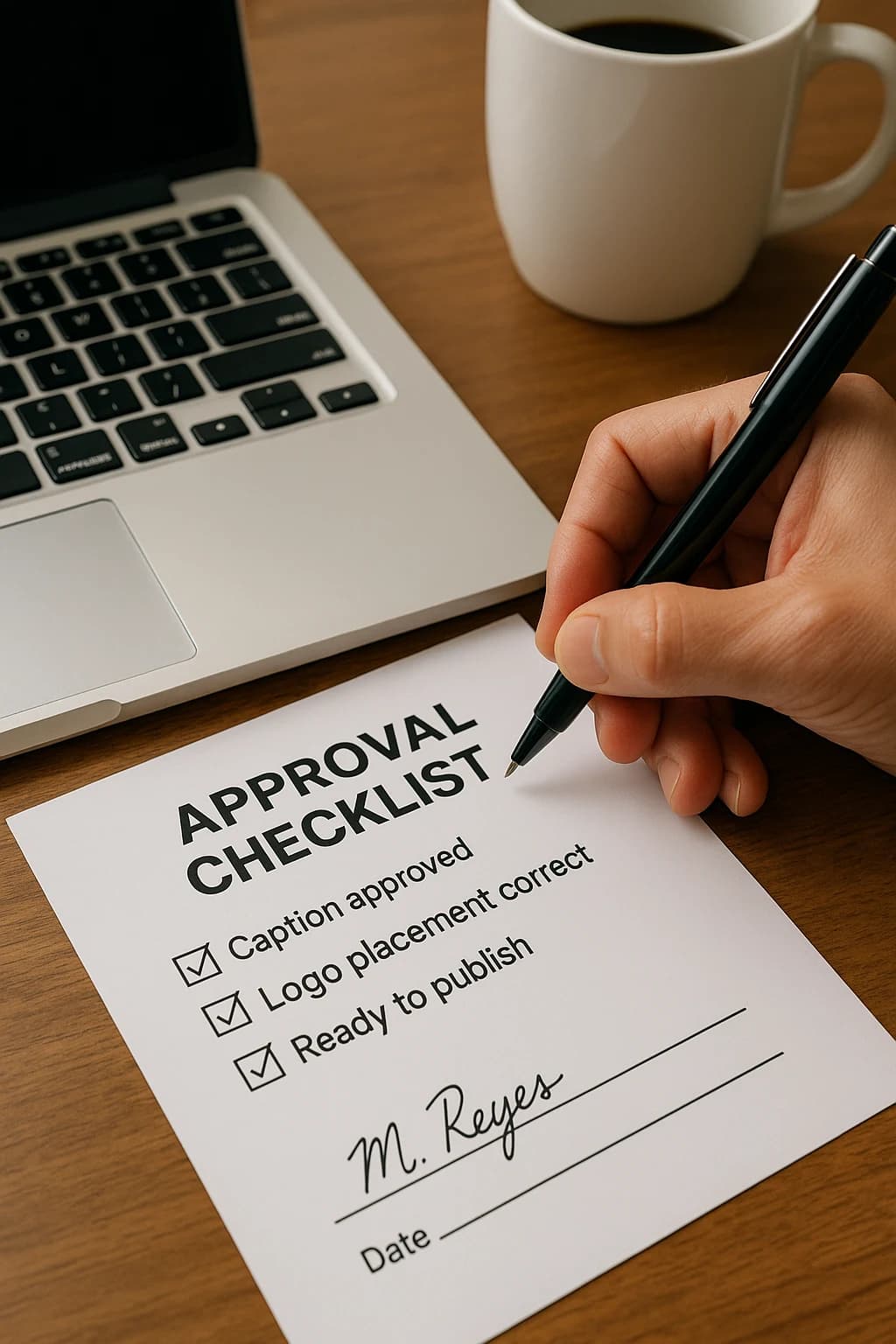
A closed decision only stays closed when it is written down: one line with a name and a date, kept where the work lives. Without that record an approval is a memory, and a memory loses to seniority every time somebody senior asks who approved this. It costs nothing to keep, and it is the single habit that closes the most common reason a piece gets reopened.
If the process is fine and the queue is empty
No review tool fills a queue. Point Blendin at a company website and it comes back with the post written and designed in that company's real brand, ready to be approved and published. Start on the 14 day trial of Starter at $59 a month, card required, no charge on day one, cancel any time.
Start the trialStill deciding whether you need a tool at all? The no software method costs nothing and takes half an hour to set up.